WordPress needs care at both the site and server level. Core files, themes and plugins need fixes as flaws are found. The server also needs tools to check files and block threats.
At HyperWP, we use WP Toolkit Deluxe to manage our sites. It sits alongside Imunify360, which is included with every HyperWP plan.
The first helps you update and test the site. The second checks traffic and files for threats. Both form part of our approach to site security.
Centralised site management
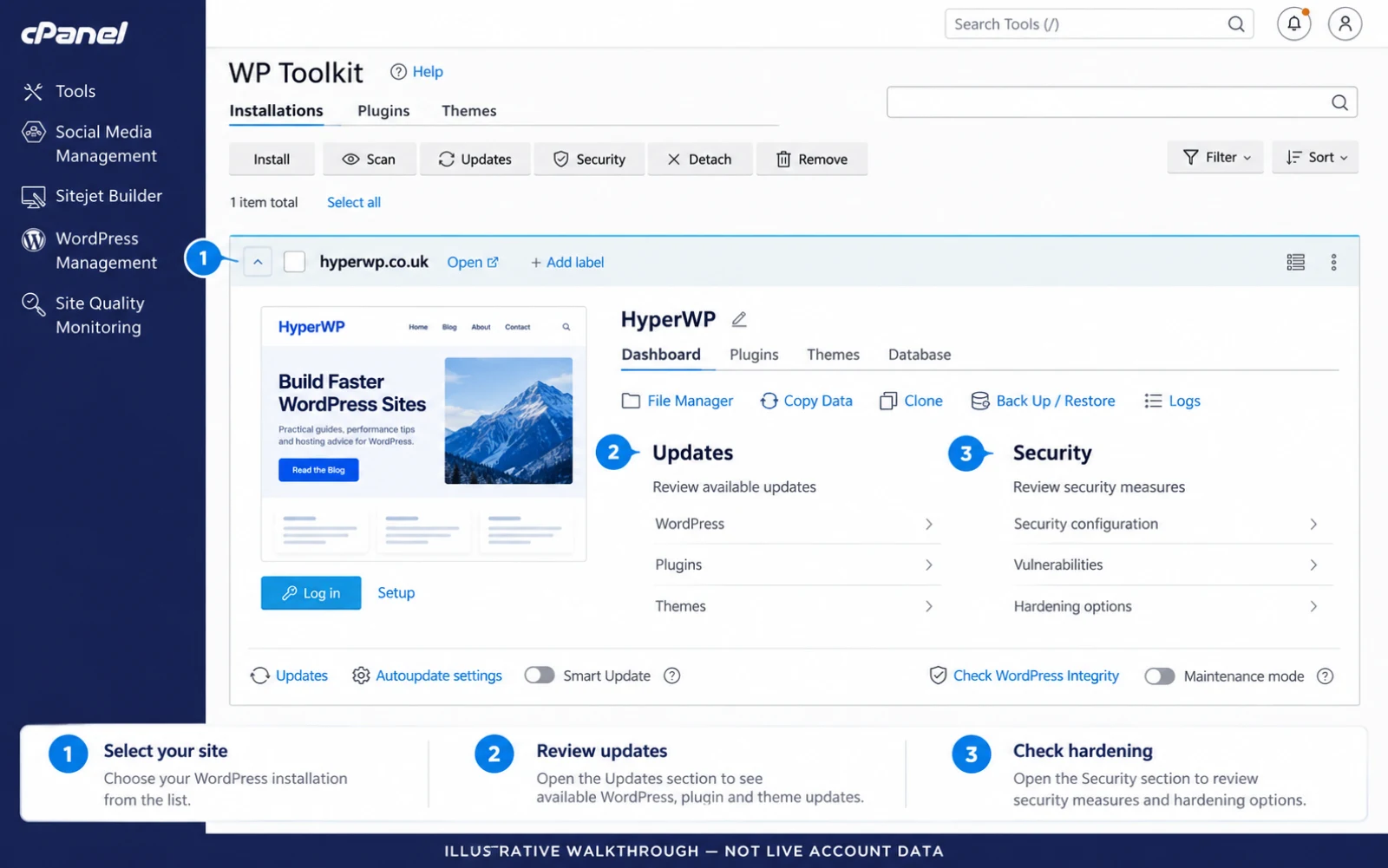
WP Toolkit brings key site tasks into one view. Core, theme and plugin updates are easier to keep track of. So are the tools for backups, site copies and checks that help reduce risk.
A single view makes it easier to see which parts of a site need work. It also reduces the number of places you need to check before making a change.
The Deluxe tools include site cloning and hardening. Cloning makes a copy of a site. Hardening closes off parts of WordPress that your site may not need. These are features of WP Toolkit, not extra jobs you have to build from scratch.
Staging and update checks
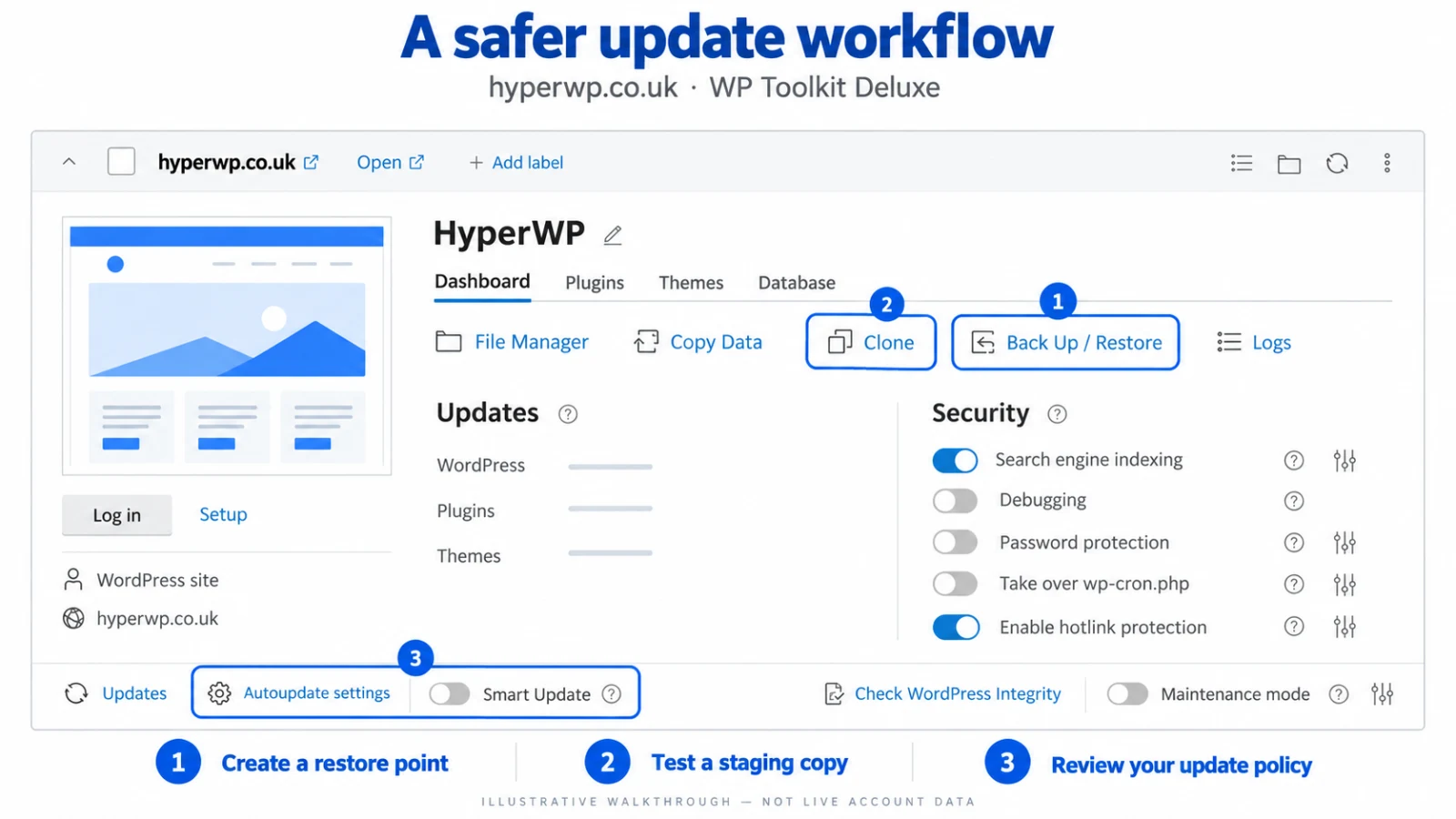
A fix can close a security flaw. It can also change how a theme or plugin works. A test copy helps you find faults before the change goes live.
A staging copy lets you test changes away from the live site. Smart Update can test an update on a clone and flag changes it finds. These checks can flag faults, though they cannot prove that every form or sale will work. The vendor explains how Smart Update works.
You can check the result and choose when to apply the change to the live site.
Protection beyond the dashboard
Some threats arrive before you have even logged in. A bot may probe an old plugin. An infected file may contain harmful code.
Imunify360 adds tools to help deal with that side of hosting. Its firewall can filter harmful requests. Its scanner can find malware, and its cleanup tools can help remove it. Proactive Defense looks for suspect PHP behaviour. What gets blocked or cleaned depends on the settings in use. See how the security tools work.
These tools work alongside site updates and access rules. They help deal with threats that may reach the server even when no one is logged in.
Updates, access and recovery
No tool removes all risk. Old plugins and shared passwords can still expose a site. A clean scan does not rule out every threat. Backups are still needed to restore the site after an attack.
Strong passwords, prompt fixes and backups you can restore still matter. WordPress’s own advice makes that clear.
The tools work at two levels. Site checks help you assess and apply changes. Server checks help detect and block threats. Both still need up-to-date code, sound access rules and backups you can restore.