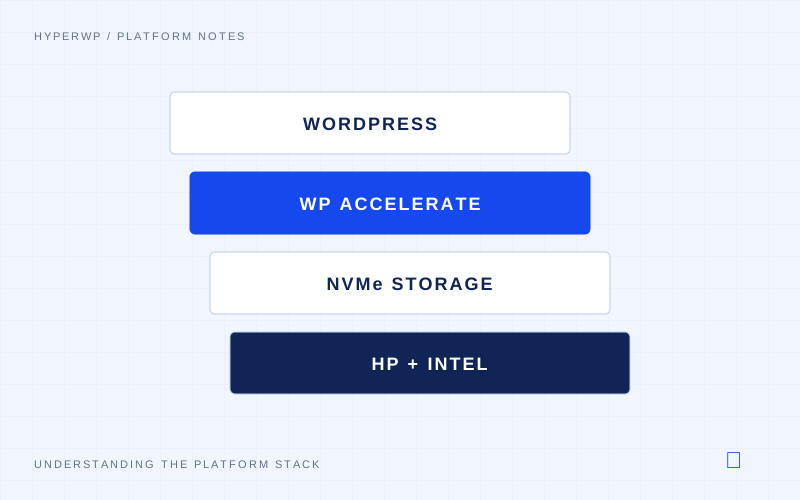
WooCommerce relies more heavily on dynamic content than a typical WordPress blog. A cache can serve many public pages, but cart changes, checkout calculations and order processing need code to run against current data.
That makes CPU, memory and storage more important. When requests bypass the page cache, hardware performance can have a much greater effect on response times.
Which requests need processing?
Examples include:
- Cart updates: changing quantities, applying coupons and recalculating totals.
- Shipping and tax: calculating charges after a buyer changes their address or delivery method.
- Checkout: checking stock, creating an order and recording its payment status.
- Customer accounts: retrieving a signed-in user’s orders and private details.
These responses depend on the user, session or order. They cannot be served as a shared cached page. WooCommerce’s guidance excludes Cart, Checkout and My Account from shared page caching.
Images, styles and suitable public product pages can still be cached. Database caches can also help uncached pages by keeping frequently used data in memory.
Why larger stores place more load on the server
A large catalogue can mean more product records, variations and attributes to search or filter. More orders increase the data available to reports and account pages. Plugins can add further queries and calculations.
Traffic adds another dimension. Several shoppers changing carts and checking out at once create concurrent requests. Each may need CPU time, memory and database access.
Store size alone does not determine speed. Indexes, query design, plugins and the data each request reads also matter. A poorly targeted query can slow a store even on fast hardware.
How the physical layer affects response time
CPU: fast cores help execute PHP and database queries when processing time is the bottleneck. More cores can support concurrent requests, provided the server has enough memory and available worker processes. They do not automatically speed up a single request. Clock speed is one part of CPU performance.
Memory: sufficient RAM allows PHP processes and the database to operate without competing for too little space. We allocate substantial server memory to SQL caching so frequently used data can stay in RAM. This reduces repeat disk reads. Too little memory can cause cache churn or swapping, adding storage delays.
Storage: low-latency NVMe drives help with reads that miss memory caches and writes needed to save orders or update stock. Under load, the disk subsystem must handle many operations without building long queues. Fast storage complements memory caching; it does not replace it.
Request flow and hardware delays
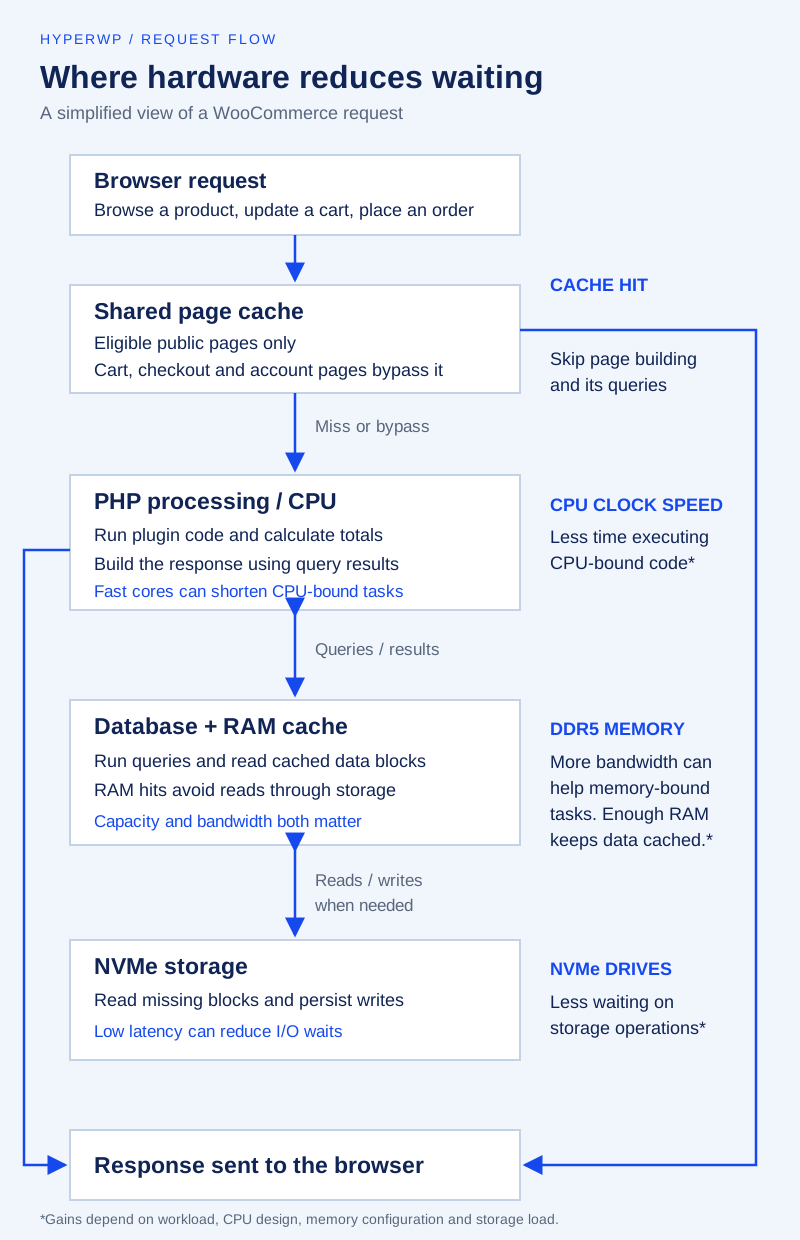
Our platform uses DDR5 memory. Its bandwidth can help tasks that move large amounts of data between RAM and the CPU. RAM capacity also matters: holding more database blocks in memory reduces repeat disk reads. Memory bandwidth and cache capacity address different sources of delay. Micron describes DDR5 bandwidth.
Where caching fits
WP Accelerate handles caching within our platform. Serving suitable pages from cache reduces repeated PHP and database processing, leaving more resources for requests that cannot use a cached page.
A fast cached homepage therefore tells only part of the story. Cart updates, checkout and database queries also need to respond promptly when the store is busy.
The effect on sales
Shorter waits make it easier to browse, update a cart and complete checkout. Speed can affect sales: Vodafone’s A/B test reported more sales from a faster landing page. That study tested page changes, not WooCommerce hardware, so it cannot predict a store’s uplift.
The practical aim is to remove delays throughout the buying process. Faster CPUs, adequate memory, effective caching and a responsive disk subsystem support that aim. Payment-service delays, application faults and checkout design still need to be considered.